11 KiB
🚀 v2rayNG - Complete Android Proxy Solution
⚡ The Most Popular Android Proxy Client | Open source, powerful, and supports all major protocols
v2rayNG is the most widely used proxy client for Android, developed by the same team behind v2rayN for Windows. It offers comprehensive protocol support and user-friendly interface, making it the go-to choice for Android users.
📊 Protocol Support Matrix
| Protocol | Support Status | Performance | Security | Recommendation |
|---|---|---|---|---|
| 🚀 VMess | ✅ Native | ⭐⭐⭐⭐⭐ | ⭐⭐⭐⭐⭐ | ⭐⭐⭐⭐⭐ |
| 🔐 VLESS | ✅ Native | ⭐⭐⭐⭐⭐ | ⭐⭐⭐⭐⭐ | ⭐⭐⭐⭐⭐ |
| 🔒 Shadowsocks | ✅ Native | ⭐⭐⭐⭐ | ⭐⭐⭐⭐ | ⭐⭐⭐⭐ |
| 🧦 SOCKS | ✅ Native | ⭐⭐⭐⭐ | ⭐⭐⭐ | ⭐⭐⭐ |
| 🛡️ Trojan | ✅ Native | ⭐⭐⭐⭐⭐ | ⭐⭐⭐⭐⭐ | ⭐⭐⭐⭐⭐ |
| 🔗 WireGuard | ✅ Native | ⭐⭐⭐⭐⭐ | ⭐⭐⭐⭐⭐ | ⭐⭐⭐⭐ |
🔧 System Requirements
📱 Android Compatibility
| Requirement | Minimum | Recommended | Notes |
|---|---|---|---|
| Android Version | 5.0 (API 21) | 10.0+ | Latest features require newer Android |
| RAM | 2GB | 4GB+ | Smooth operation |
| Storage | 50MB | 200MB+ | Including cache and logs |
| CPU | ARMv7 | ARM64 | Better performance on 64-bit |
| Network | 3G/WiFi | 4G/5G/WiFi | Stable connection recommended |
📥 Official Downloads
💡 Download Tips: Always download from official sources to ensure security and authenticity
🌟 Primary Download Sources
| Download Source | Type | Speed | Reliability | Recommendation |
|---|---|---|---|---|
| 🚀 Mirror 1 | Accelerated | ⭐⭐⭐⭐⭐ | ⭐⭐⭐⭐⭐ | ⭐⭐⭐⭐⭐ |
| ⚡ Mirror 2 | Accelerated | ⭐⭐⭐⭐ | ⭐⭐⭐⭐ | ⭐⭐⭐⭐ |
| 📦 Official GitHub | Official | ⭐⭐⭐ | ⭐⭐⭐⭐⭐ | ⭐⭐⭐⭐⭐ |
| 🔗 Official Site | Official | ⭐⭐⭐ | ⭐⭐⭐⭐⭐ | ⭐⭐⭐⭐ |
📋 Version Information
- Latest Version: v1.9.33
- File Size: ~35MB
- Architecture: Universal (ARM + ARM64 + x86)
- Minimum Android: 5.0 (API 21)
- Target Android: 14 (API 34)
🛠️ Installation Guide
📱 Installation Methods
🏪 Google Play Store (If Available)
- Search for "v2rayNG" in Google Play Store
- Tap "Install" and wait for automatic download
- App will be installed automatically
- Advantage: Automatic updates, verified by Google
📦 APK Installation (Recommended)
- Download APK: Use one of the links above
- Enable Unknown Sources:
- Go to Settings → Security → Unknown Sources
- Enable "Install from Unknown Sources"
- Install APK: Tap the downloaded APK file
- Grant Permissions: Allow installation when prompted
⚠️ Security Note: Only download APK files from official sources listed above
🔐 First Launch Setup
After installation, open v2rayNG to access the main interface:
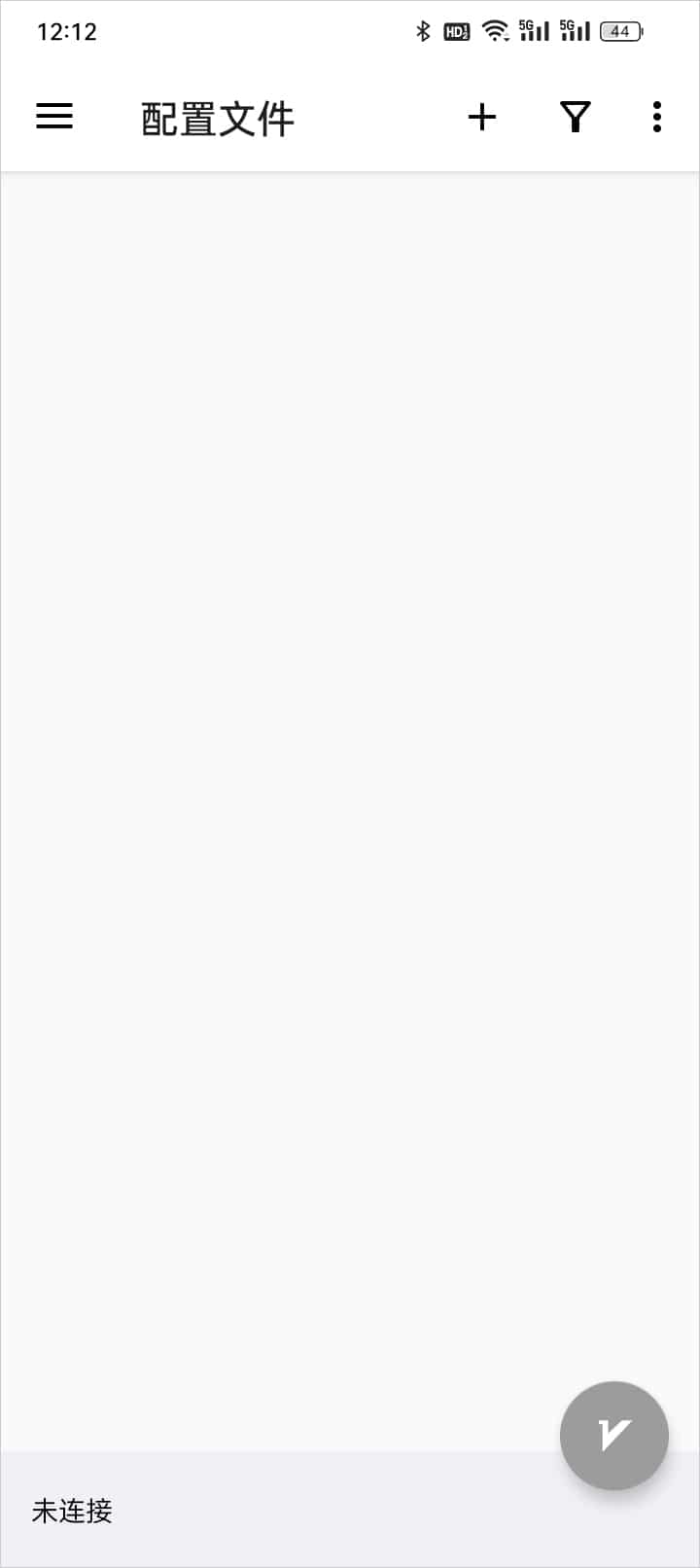
Interface Overview: The main screen shows your configuration list and connection status
🚀 Complete Usage Guide
📥 Method 1: Import Subscription
Step 1: Copy Subscription Link
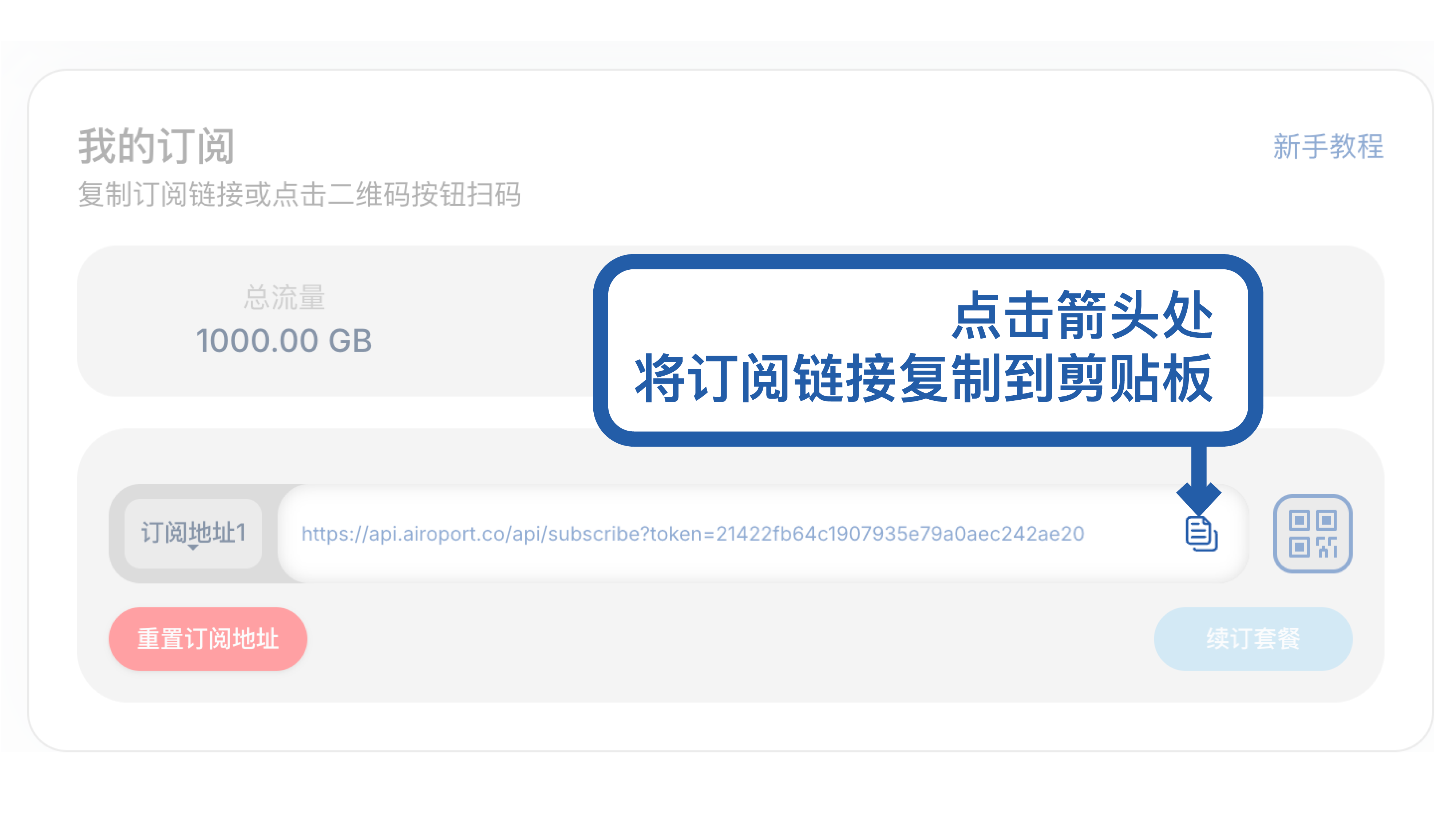
Get Subscription: Copy the subscription URL from your service provider
Step 2: Import Subscription
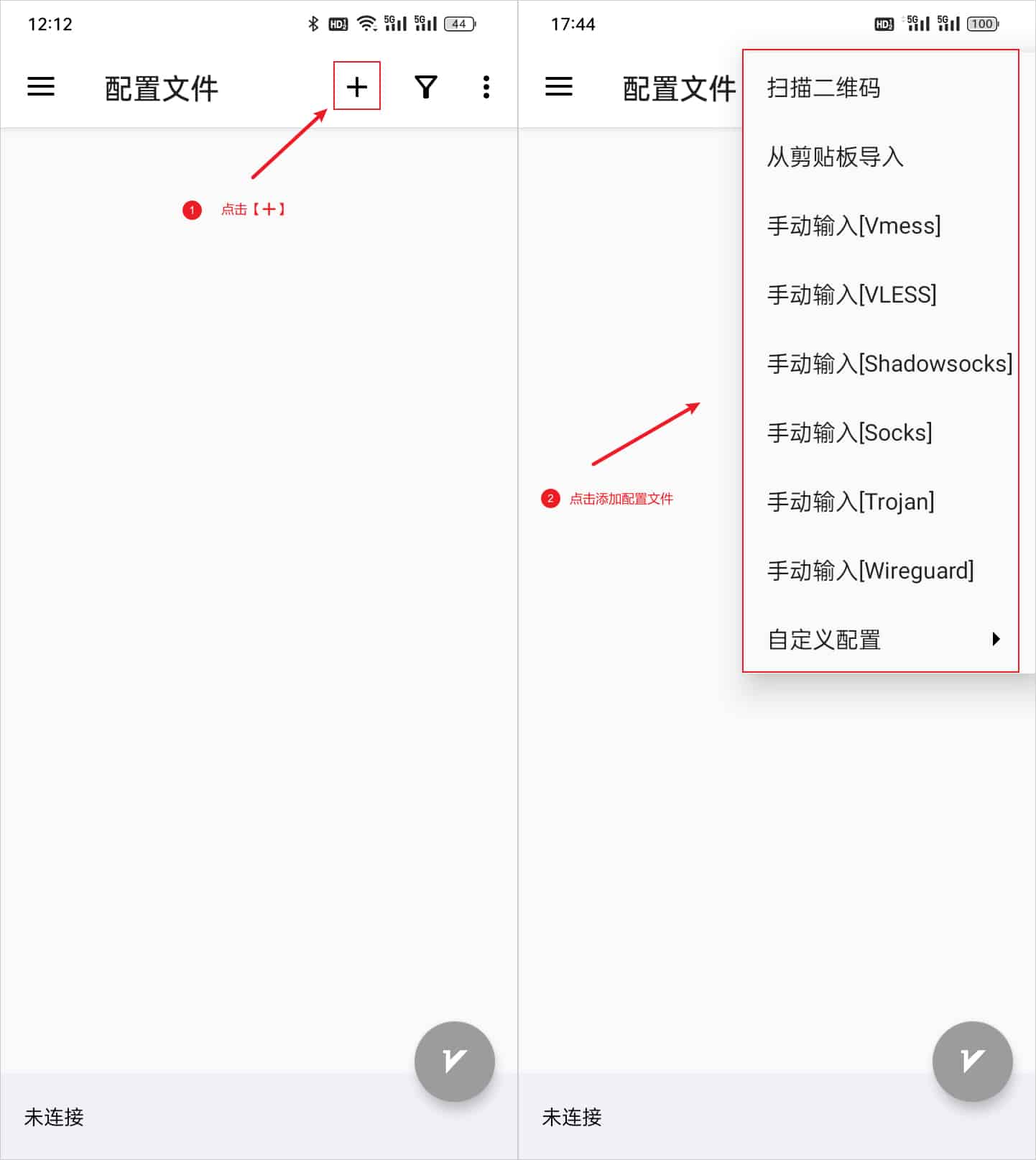
Access Import: Tap the "+" button in the top-right corner
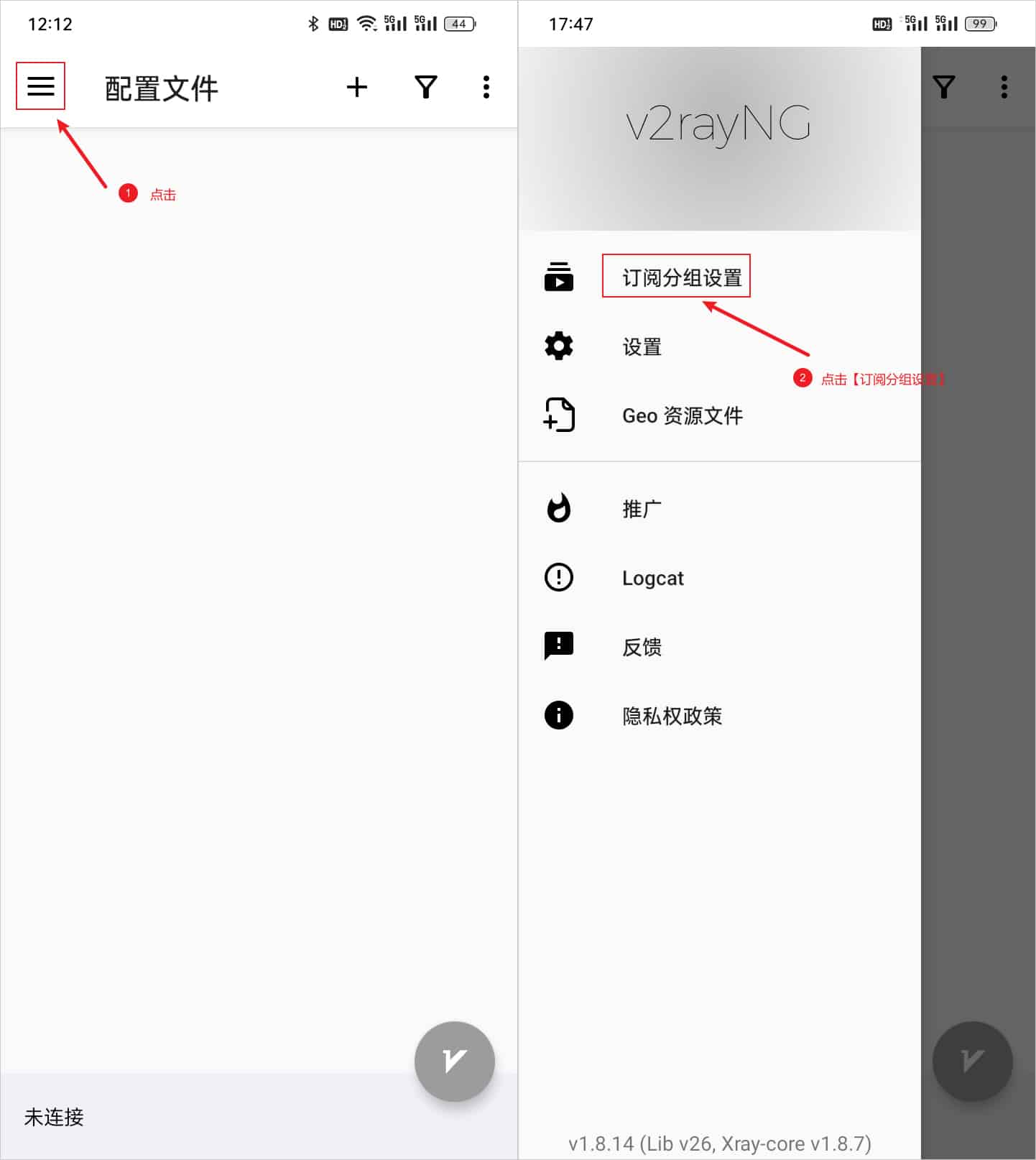
Choose Method: Select "Import subscription from clipboard" for automatic import
⚙️ Method 2: Manual Server Configuration
Step 1: Add Server Manually
Tap "+" → "Manually input VMess/VLESS/etc." to add individual servers
Step 2: Configure Server Details
Fill in the following information:
- Address: Server IP or domain
- Port: Server port number
- User ID: Your unique identifier
- Security: Encryption method
- Network: Transport protocol
📱 Method 3: QR Code Scanning
Step 1: Access QR Scanner
Tap "+" → "Scan QR code"
Step 2: Scan Configuration
Point camera at QR code containing server configuration
⚙️ Advanced Configuration
🎯 Routing Rules
v2rayNG supports sophisticated routing rules:
🌐 Domain-based Routing
- Direct: Bypass proxy for domestic sites
- Proxy: Route through proxy for blocked sites
- Block: Block ads and malicious domains
🗺️ Geographic Routing
- GeoIP CN: Chinese IP addresses → Direct
- GeoIP Others: Foreign IP addresses → Proxy
- Custom Rules: User-defined routing logic
📊 Performance Optimization
🚀 Speed Enhancement
- Connection Pool: Reduce connection overhead
- Multiplexing: Multiple streams over single connection
- Congestion Control: Optimize for mobile networks
🔋 Battery Optimization
- Background Limits: Minimize background activity
- Sleep Mode: Pause unnecessary operations
- Efficient Protocols: Use battery-friendly protocols
🛡️ Security Features
🔐 Encryption Standards
- AES-256-GCM: Military-grade encryption
- ChaCha20-Poly1305: Modern, efficient encryption
- TLS 1.3: Latest transport security
🛡️ Privacy Protection
- DNS Security: Encrypted DNS queries
- Traffic Obfuscation: Hide proxy traffic patterns
- No Logging: No connection logs stored locally
🔒 Certificate Validation
- Certificate Pinning: Prevent man-in-the-middle attacks
- Domain Verification: Ensure connection authenticity
- SNI Masking: Hide destination information
❓ Troubleshooting Guide
🔧 Connection Issues
Q: Cannot connect to server?
A: Check the following:
- Network Connection: Ensure device has internet access
- Server Status: Verify server is online and accessible
- Configuration: Double-check all server parameters
- Firewall: Ensure app isn't blocked by firewall
Q: Slow connection speed?
A: Optimization steps:
- Server Selection: Choose server closer to your location
- Protocol Change: Try different protocols (VMess → VLESS)
- MTU Settings: Adjust MTU size for your network
- Background Apps: Close unnecessary apps
📱 App-Specific Issues
Q: App crashes on startup?
A: Troubleshooting steps:
- Clear Cache: Settings → Apps → v2rayNG → Clear Cache
- Reinstall: Uninstall and reinstall the app
- Android Version: Check compatibility with your Android version
- Free Space: Ensure sufficient storage space
Q: Battery drain issues?
A: Power optimization:
- Battery Optimization: Disable battery optimization for v2rayNG
- Background Limits: Adjust background app refresh settings
- Protocol Choice: Use more efficient protocols
- Update App: Keep app updated for efficiency improvements
🎨 User Interface Guide
🏠 Main Interface Elements
📊 Status Bar
- Connection Status: Shows current connection state
- Speed Indicator: Real-time upload/download speeds
- Server Info: Currently selected server details
📋 Server List
- Server Cards: Visual representation of each server
- Latency Display: Ping time to each server
- Selection: Tap to select active server
⚙️ Settings Access
- Three-dot Menu: Access to advanced settings
- Quick Actions: Common operations like test speed
- Profile Management: Import/export configurations
🎛️ Settings Overview
🌐 Network Settings
- Routing Mode: Global proxy, PAC mode, or direct
- DNS Settings: Custom DNS servers and DoH
- IPv6 Support: Enable/disable IPv6 routing
📱 App Settings
- Start on Boot: Auto-start with device
- Background Mode: Keep alive in background
- Theme Options: Light/dark theme selection
🔄 Maintenance & Updates
📅 Regular Maintenance
🔄 Subscription Updates
- Auto-Update: Enable automatic subscription refresh
- Manual Update: Refresh when servers change
- Update Frequency: Recommended daily or weekly
🧹 Cache Management
- Clear Logs: Regular log cleanup for privacy
- Cache Cleanup: Remove temporary files
- Database Optimization: Maintain app performance
🆙 App Updates
🔔 Update Notifications
- GitHub Releases: Follow repository for updates
- In-app Notifications: Enable update alerts
- Changelog Review: Read changes before updating
📦 Update Methods
- APK Update: Download and install new APK
- Play Store: Automatic updates if available
- Backup First: Export configurations before updating
📊 Performance Comparison
| Feature | v2rayNG | Other Clients | Advantage |
|---|---|---|---|
| Protocol Support | ⭐⭐⭐⭐⭐ | ⭐⭐⭐ | Most comprehensive |
| User Interface | ⭐⭐⭐⭐ | ⭐⭐⭐⭐ | Clean and intuitive |
| Performance | ⭐⭐⭐⭐⭐ | ⭐⭐⭐⭐ | Optimized core |
| Stability | ⭐⭐⭐⭐⭐ | ⭐⭐⭐⭐ | Battle-tested |
| Open Source | ✅ | ❌ | Transparent & secure |
| Community | ⭐⭐⭐⭐⭐ | ⭐⭐⭐ | Active development |
📞 Support & Resources
🌍 Official Resources
- 🏠 GitHub Repository: v2rayNG Project
- 📋 Issue Tracker: Report Bugs
- 📚 Documentation: Wiki Pages
💬 Community Support
- 📱 Telegram: Active user groups and channels
- 💭 Reddit: r/v2ray community discussions
- 🔗 Forums: Technical discussions and help
🎓 Learning Resources
- 📺 Video Tutorials: Step-by-step setup guides
- 📝 Blog Posts: Configuration examples and tips
- 📖 Official Docs: Comprehensive technical documentation
📅 Last Updated: July 10, 2025 | 🚀 Compatible Version: v2rayNG 1.9.33+
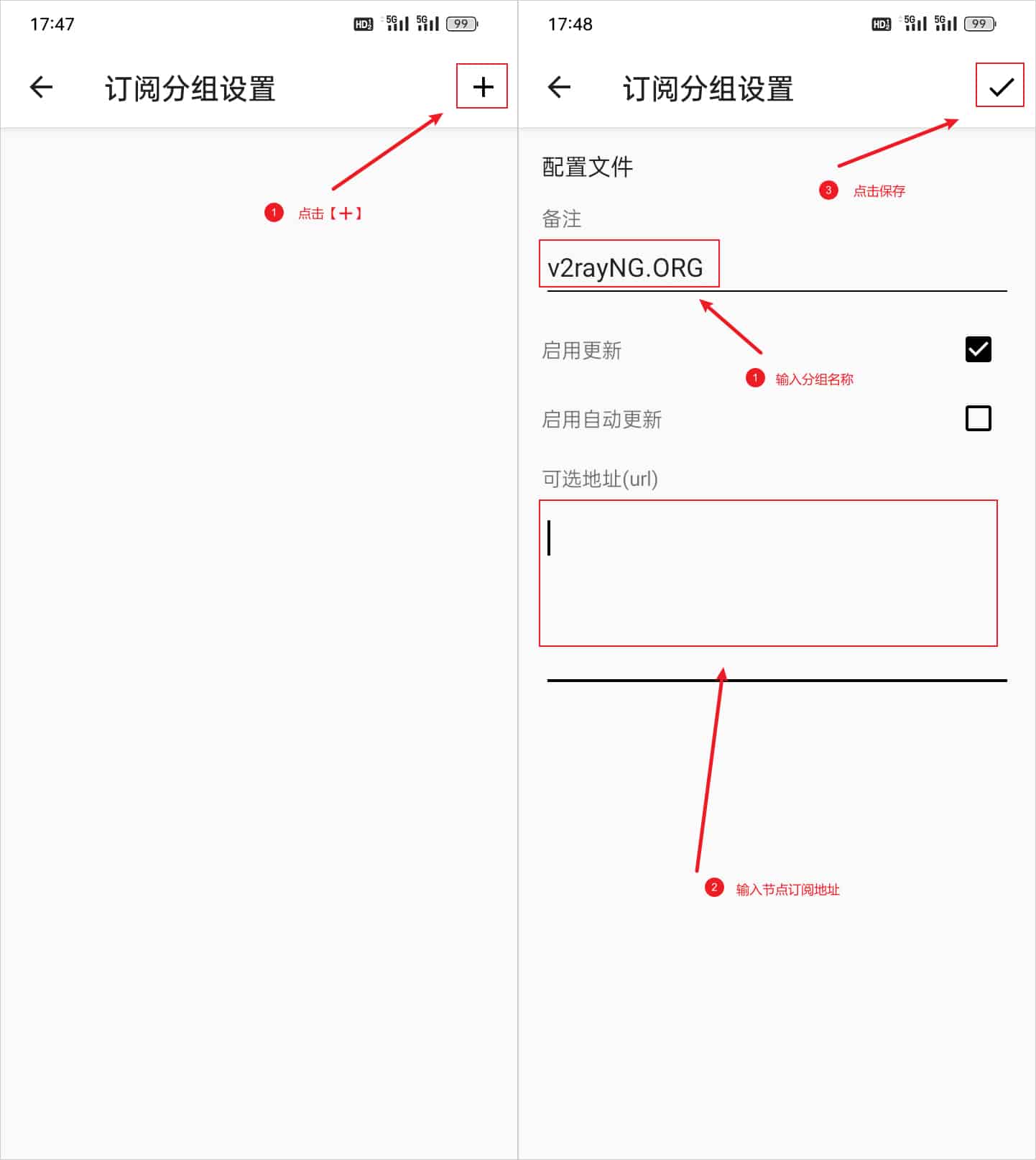
2. Update Subscription Nodes
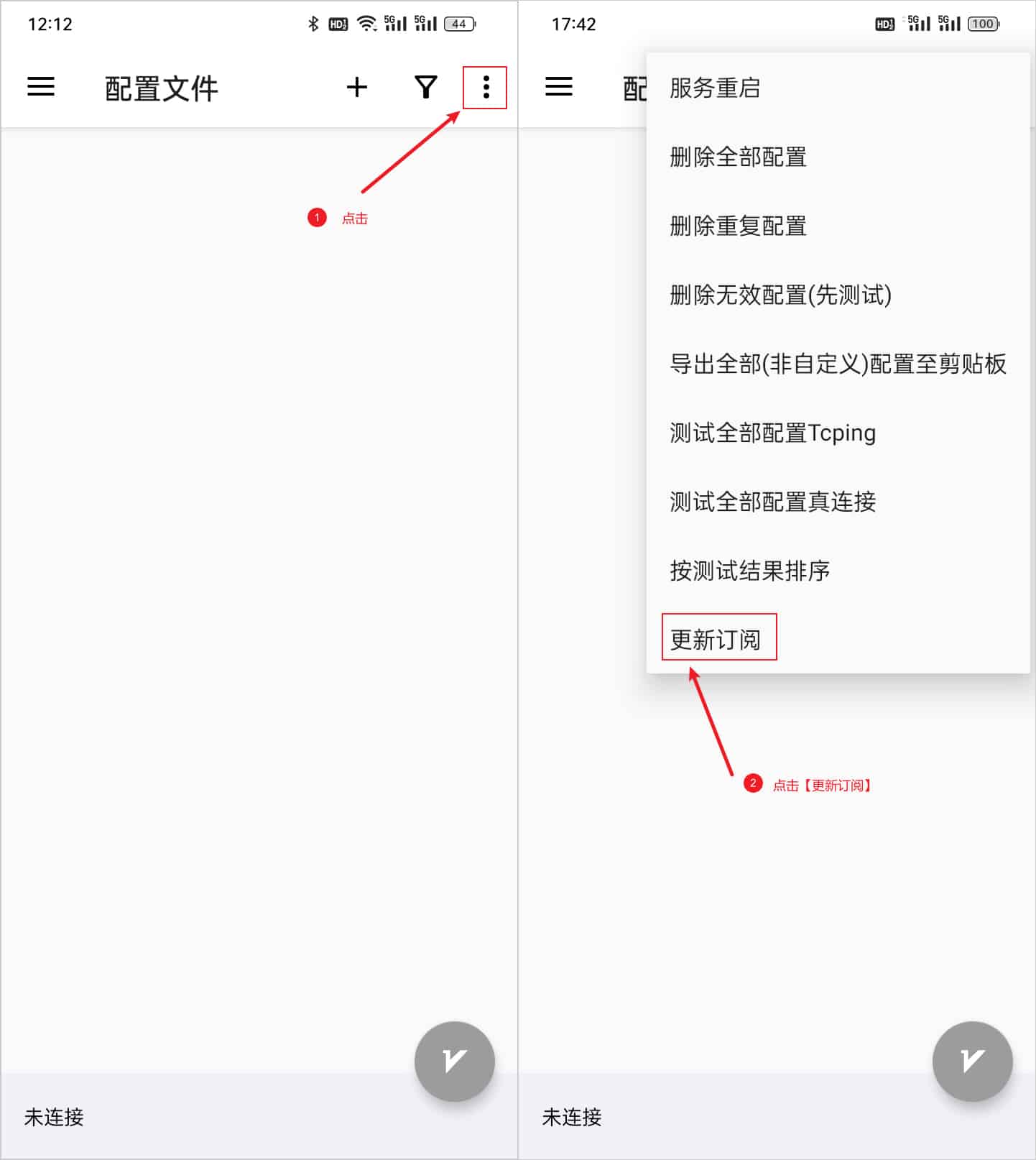
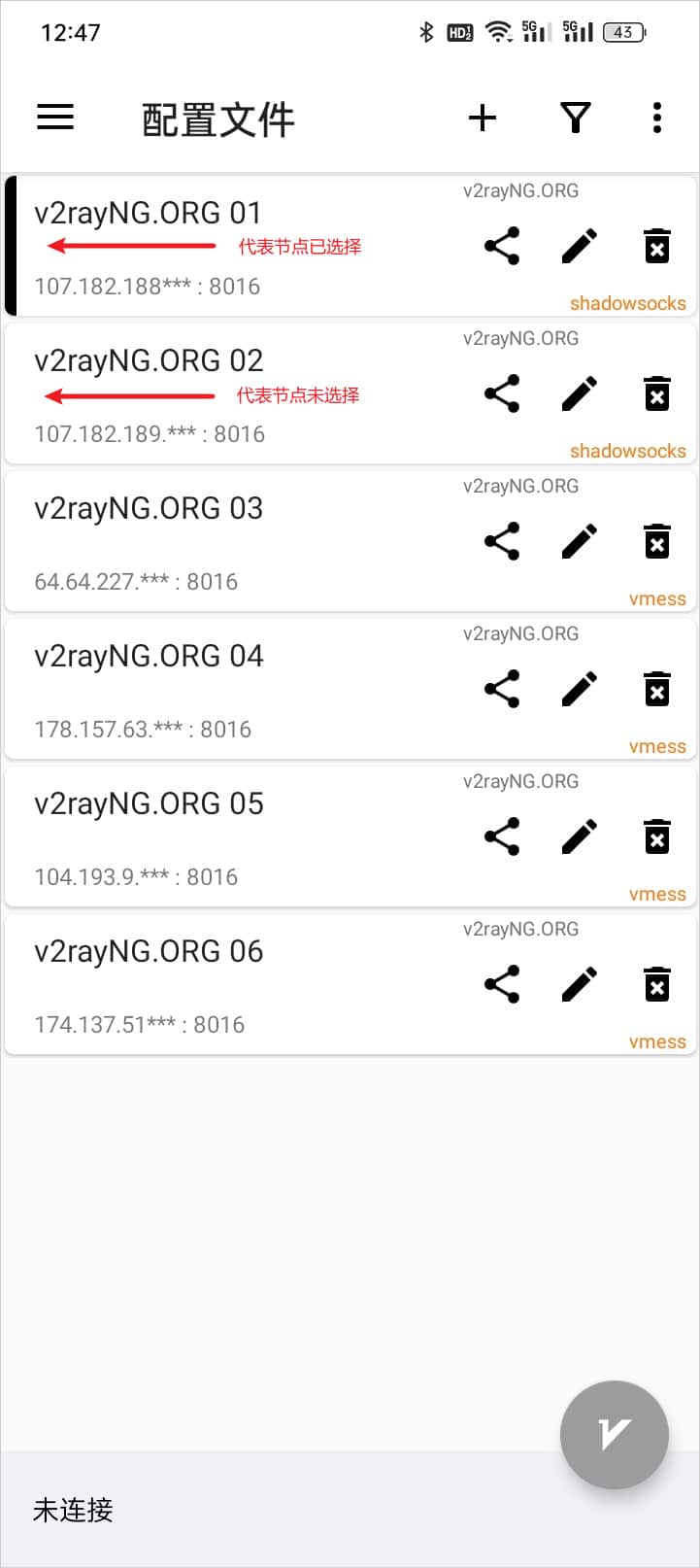
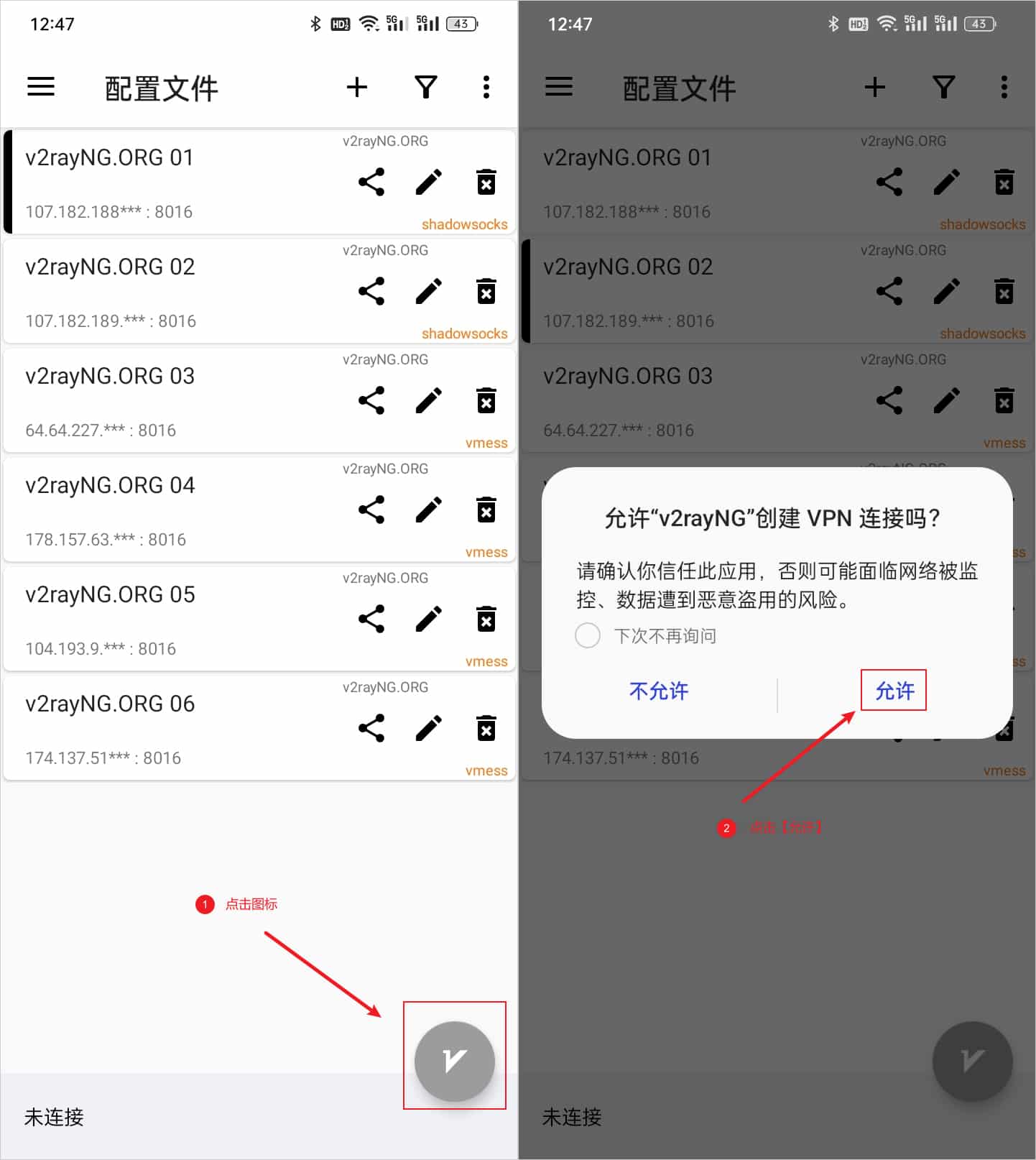
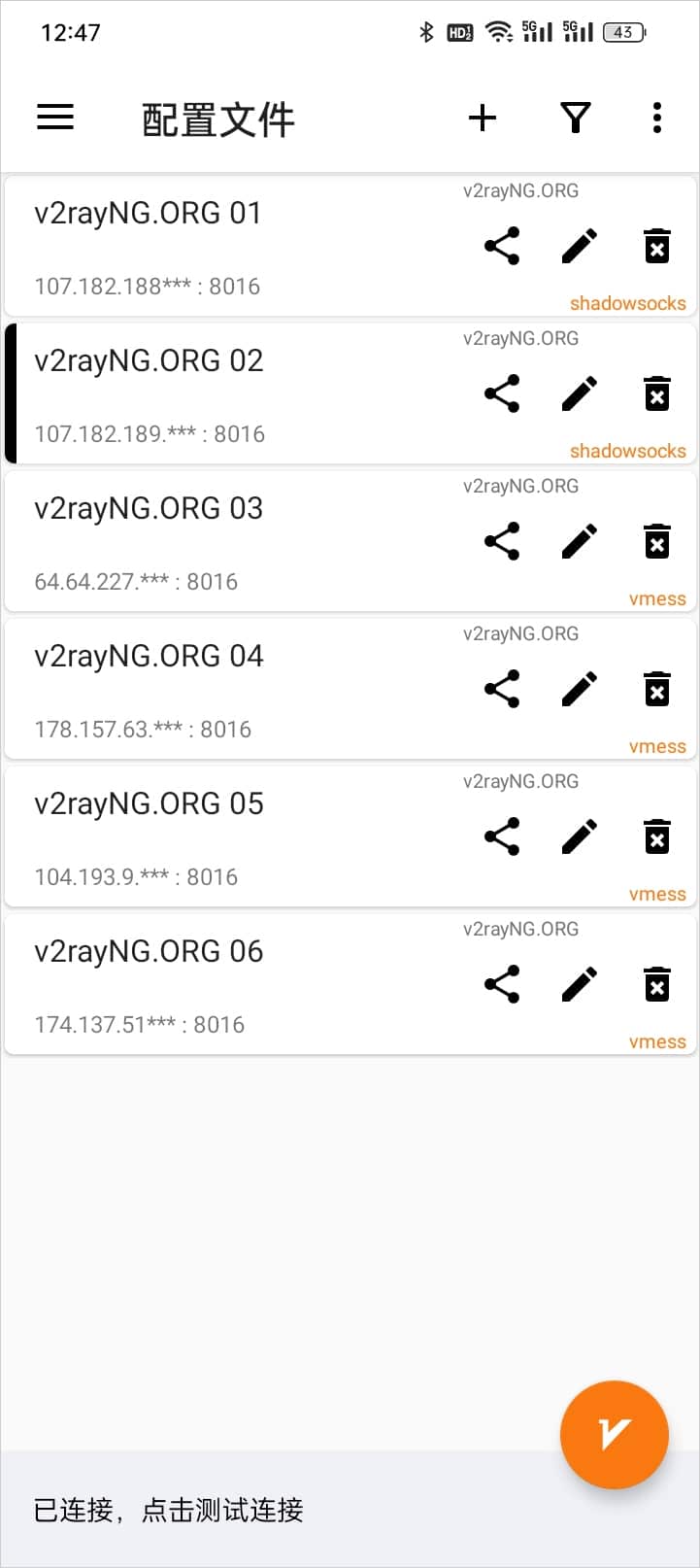
3. Connect to a Node